A December game for your Mac
There's an elf hiding on your Mac.
Every day from Dec 1–24 he hides somewhere new on your screen. Can you find him?
Free 7-day trial · macOS 13+ · Apple Silicon & Intel
How it works
-
1
Install Elfie
It lives quietly in your menu bar. No windows, no Dock icon, nothing to set up.
-
2
He hides every day
From Dec 1 to Dec 24 the elf picks a new spot each morning: behind a window, on a title bar, by the Dock…
-
3
Find him, get a treat
Click him and he jumps out with a “ho ho!”, then hands you the day's joke and a new wallpaper.
Where's he hiding today?
Five kinds of hiding spots, picked fresh every day. He moves with your windows, so no two Decembers look alike.
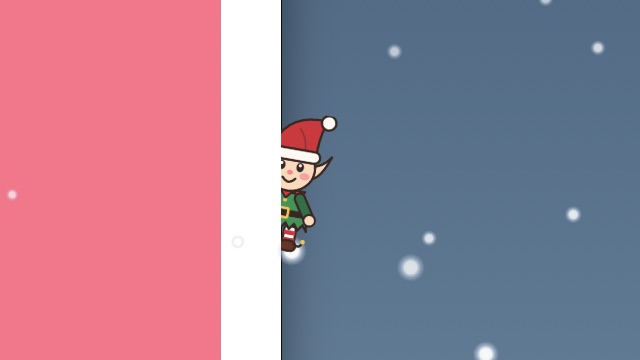
Behind a window
Half tucked behind the edge of whatever app you're using.
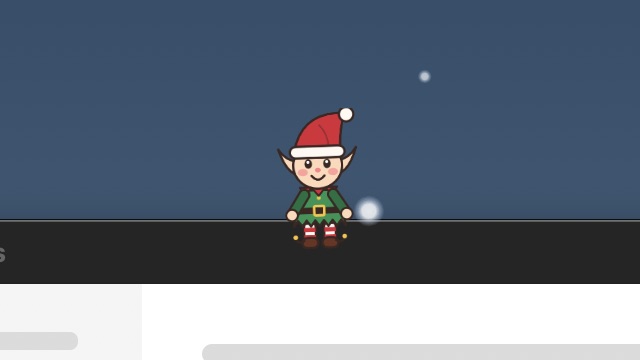
On a title bar
Sitting on top of a window like he owns the place.
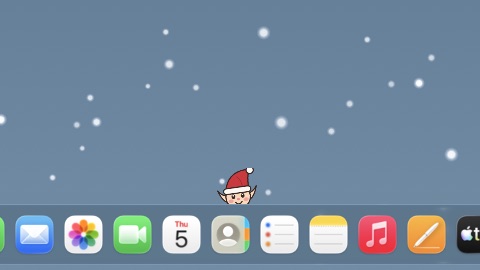
By the Dock
Peeking up from behind your app icons.
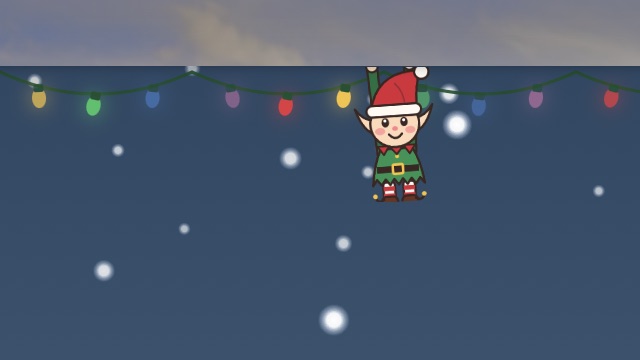
Under the menu bar
Dangling from the top of your screen, sometimes right next to the notch.

In a corner
Leaning in from the edge of a screen. Got two displays? Check both.

Stuck?
Hit Hint in the menu bar and he'll glow for a second.
All the cozy bits
Gentle snow
Light snowfall drifts over your desktop. Clicks go right through it.
String lights
A twinkling strand hangs just under your menu bar.
24 wallpapers
Every find unlocks a festive wallpaper. Set it in one click.
Screen-share hotkey
Press ⌃⌥E and everything vanishes instantly. Press it again to bring the fun back.
Lightweight (under 2% CPU), works on every display, and pauses for an hour with one click.
One price. No subscription.
Try it free for 7 days. Buy once, keep it every December.
1 Mac
$7
$7
one-time
Early-bird price until Nov 30
- ✓ The elf, every December
- ✓ All 24 wallpapers
- ✓ Snow, lights, hints
5 Macs
$12one-time
For the whole family (or office)
- ✓ Everything in 1 Mac
- ✓ Use on up to 5 Macs
- ✓ Compete over who finds him first
🎁 Gift a copy : we'll email the license to someone special.
Questions
Is it safe?
Yes. Elfie is signed with an Apple Developer ID and notarized by Apple. It doesn't ask for screen recording or accessibility access, never reads what's on your screen, and only goes online to check your license key.
Does it slow my Mac down?
No. The elf, snow and lights are animated by macOS itself, the same way system animations are, so Elfie uses well under 2% CPU. You can turn snow and lights off any time.
What about screen shares and meetings?
Press ⌃⌥E (Control-Option-E) from any app to hide everything instantly, or choose Pause for 1 Hour from the menu bar. Or leave him in and let your coworkers find him.
Can I get a refund?
Of course. If Elfie isn't for you, email us within 30 days and we'll refund you, no questions asked.
Is there a Windows version?
Not yet. Elfie is Mac-only for now. Follow @divvsaxena to hear if he learns to hide on Windows.